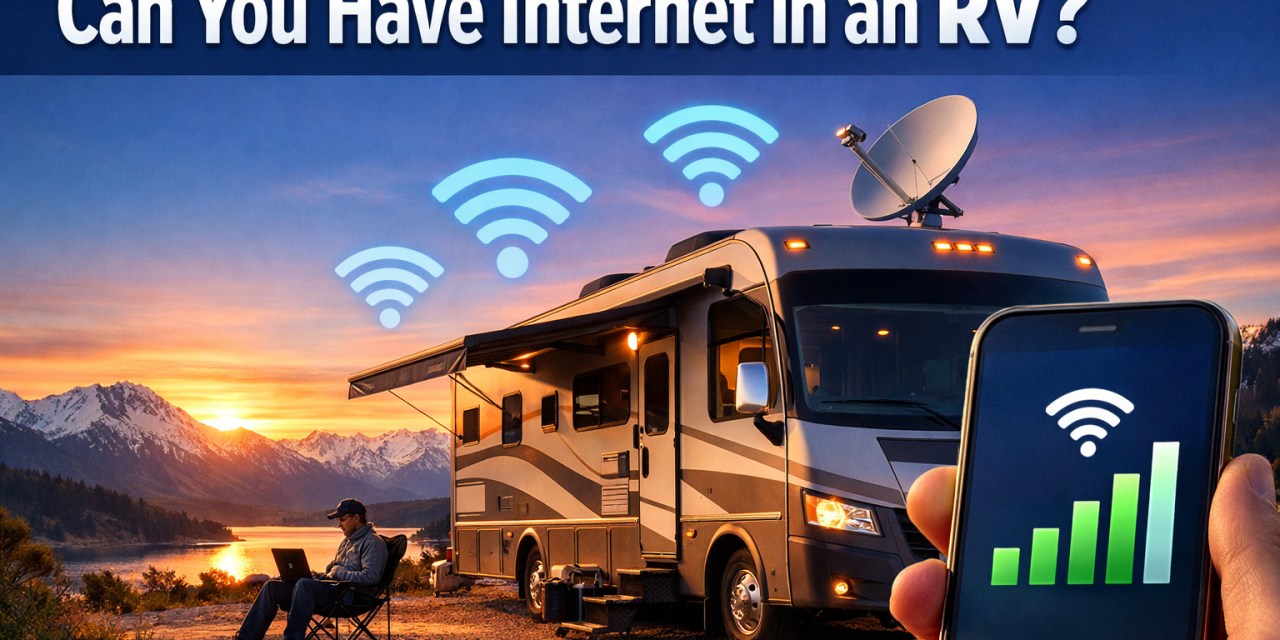
Picture this: You’re parked at a stunning campsite with mountain views, coffee in hand, and you need to hop on a video call or stream your favorite show. The question isn’t whether you should have internet in your RV—it’s absolutely possible, and millions of RVers are doing it right now in 2026. Can you have internet in an RV? The short answer is a resounding yes, and you’ve got more options than ever before to stay connected while living the nomadic dream.
The digital nomad lifestyle has exploded in recent years, and RV manufacturers have taken notice. Whether you’re a full-time RVer working remotely, a weekend warrior who likes to stream movies, or someone who just needs to check email occasionally, reliable internet access has become as essential as running water and electricity for modern RV living.
Key Takeaways
- Multiple internet options exist for RVers, including cellular data, satellite internet, WiFi extenders, and campground WiFi—each with distinct advantages and limitations
- Cellular networks remain the most popular choice for RV internet in 2026, with 5G coverage expanding rapidly and unlimited data plans becoming more affordable
- Starlink and other satellite services have revolutionized remote connectivity, offering high-speed internet even in the most isolated locations
- Your internet needs determine your solution—casual browsing requires different setups than full-time remote work or 4K streaming
- Redundancy is key for reliable connectivity—successful RVers often combine multiple internet sources to ensure they’re never completely offline
Understanding Your RV Internet Options 🚐
Would you like to save this article?
When exploring whether can you have internet in an RV, it’s crucial to understand that you’re not limited to a single solution. The beauty of RV internet in 2026 is the variety of options available, each suited to different needs, budgets, and travel styles.
Cellular Data and Mobile Hotspots
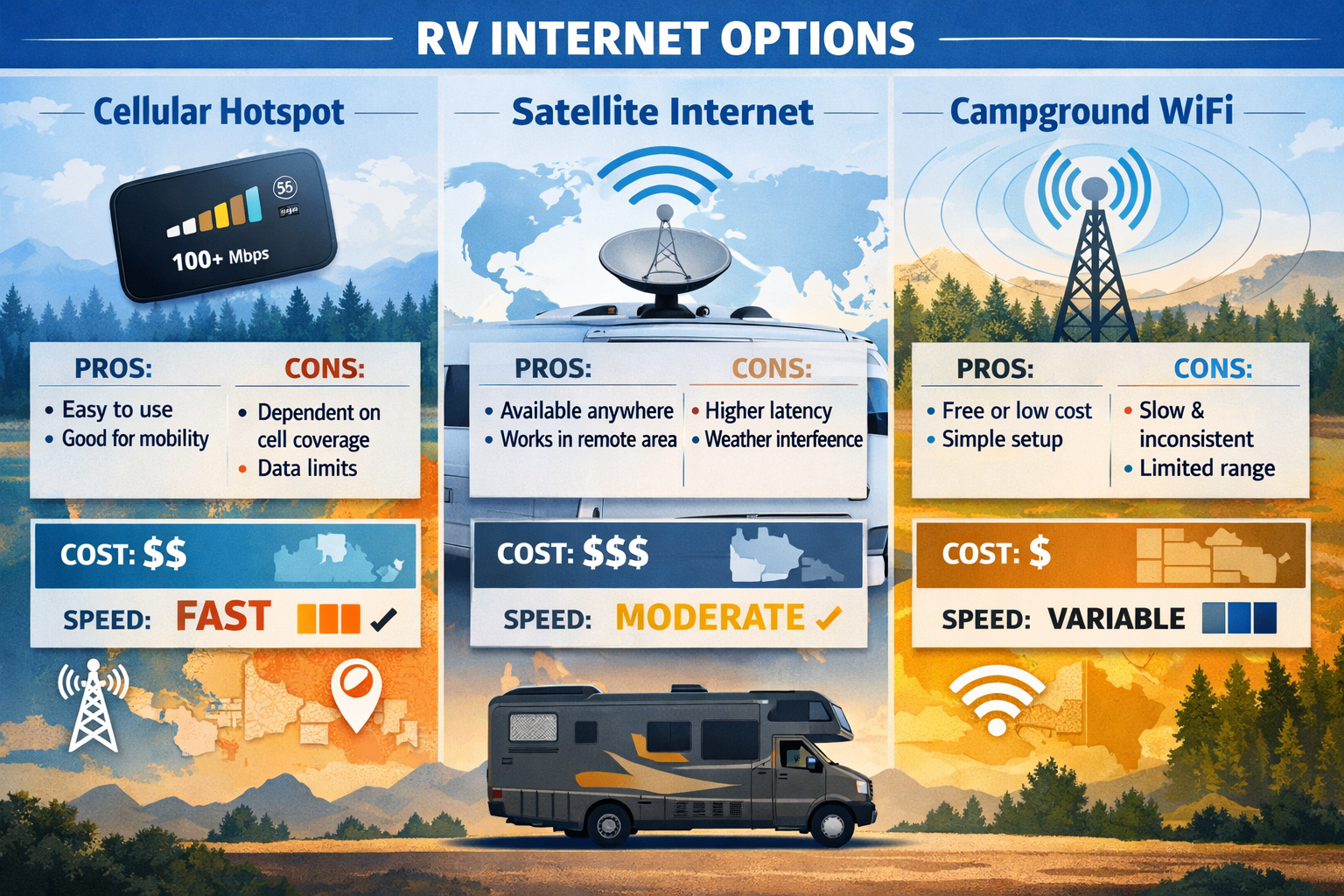
Cellular internet remains the go-to choice for most RVers, and for good reason. The infrastructure has improved dramatically, with 5G networks covering approximately 60% of the United States as of 2026[1]. Here’s what makes cellular data so appealing:
- Convenience: Use your smartphone as a hotspot or invest in a dedicated mobile hotspot device
- Flexibility: Works anywhere with cell coverage
- Speed: 5G networks can deliver speeds exceeding 100 Mbps in optimal conditions
- Cost-effectiveness: Unlimited plans from major carriers range from $50-$100 monthly
The major carriers—Verizon, AT&T, and T-Mobile—all offer RV-specific plans. Many full-timers carry multiple carrier SIM cards because coverage varies significantly by region. What works perfectly in Colorado might leave you disconnected in rural Montana.
Satellite Internet Solutions
The satellite internet landscape has transformed completely since Starlink entered the market. Can you have internet in an RV in the middle of nowhere? Absolutely, thanks to satellite technology.
Starlink for RVs has become incredibly popular, offering:
- Download speeds of 50-200 Mbps
- Low latency suitable for video calls and gaming
- Coverage across North America and expanding globally
- Mobile priority plans starting at $150/month
Traditional satellite providers like HughesNet and Viasat still serve the RV community, though they typically offer slower speeds and higher latency compared to Starlink’s low-earth orbit constellation[2].
Campground WiFi and WiFi Extenders
Most RV parks and campgrounds offer WiFi, but the quality varies wildly. Some provide blazing-fast fiber connections, while others offer barely functional service that can’t handle basic email.
WiFi extenders and boosters help capture weak campground signals:
- Roof-mounted antennas can pick up signals from 300+ feet away
- Amplify weak signals for usable connectivity
- Cost ranges from $200-$500 for quality systems
- Brands like WiFiRanger and Winegard dominate this space
“Having a good WiFi extender has saved us countless times when campground WiFi was technically available but practically unusable from our site.” — Full-time RVer testimonial
Setting Up Internet in Your RV: Practical Steps
So you’ve determined that yes, can you have internet in an RV, but how do you actually set it up? The process varies depending on your chosen solution, but here’s a comprehensive roadmap.
Assessing Your Internet Needs
Before spending money on equipment, honestly evaluate your usage:
Light Users (email, social media, basic browsing):
- Smartphone hotspot or basic cellular plan
- Campground WiFi with a simple extender
- Budget: $50-100/month
Moderate Users (video streaming, regular video calls):
- Dedicated mobile hotspot with unlimited data
- WiFi extender for backup
- Budget: $100-150/month
Heavy Users (remote work, large file transfers, 4K streaming):
- Dual cellular carriers for redundancy
- Satellite internet backup
- Signal boosters and professional antennas
- Budget: $200-400/month
Essential Equipment and Installation
Here’s what you’ll need for a robust RV internet setup:
| Equipment | Purpose | Price Range |
|---|---|---|
| Mobile Hotspot Device | Primary cellular internet | $200-$400 |
| Cell Signal Booster | Amplify weak cellular signals | $300-$700 |
| WiFi Router | Distribute internet to devices | $100-$300 |
| WiFi Extender | Capture campground WiFi | $200-$500 |
| Satellite Dish | Remote area connectivity | $500-$2,500 |
Installation tips:
- Mount antennas high: Roof-mounted equipment gets the best signal reception
- Use quality cables: Poor cables lose signal strength
- Weatherproof everything: RVs experience extreme conditions
- Plan for power: Internet equipment needs reliable 12V or 120V power
- Test before traveling: Ensure everything works while still at home
Choosing the Right Cellular Carrier
Not all carriers are created equal for RV travel. Coverage maps tell part of the story, but real-world experience matters more.
Verizon typically offers:
- Best overall rural coverage
- Reliable service in national parks
- Premium pricing
- Strong network in the Western United States
AT&T provides:
- Excellent coverage in the South and Midwest
- Competitive pricing on unlimited plans
- Good balance of coverage and cost
T-Mobile delivers:
- Fastest 5G speeds in urban areas
- Improving rural coverage through Sprint merger
- Most affordable unlimited plans
- Weaker in remote mountain regions
Many experienced RVers use dual-carrier setups, carrying both Verizon and AT&T or T-Mobile to ensure connectivity across diverse terrain[3].
Can You Have Internet in an RV for Remote Work? 💼
The remote work revolution has made this question critical for thousands of RVers. The answer is absolutely yes, but success requires planning and the right equipment.
Building a Reliable Remote Work Setup
Remote work demands consistency—you can’t afford to miss important meetings or deadline-critical uploads. Here’s how to build a bulletproof system:
Primary Connection: Choose your most reliable option based on your travel regions. For most of the continental US, this means a premium unlimited cellular plan with a quality carrier.
Secondary Backup: Never rely on a single internet source. Options include:
- Second cellular carrier on a different network
- Satellite internet for true emergency backup
- Ability to relocate to areas with better signal
Equipment Redundancy:
- Backup hotspot device (different from primary)
- Spare router and cables
- Power backup (battery bank or generator)
Speed Requirements for Common Tasks
Understanding bandwidth needs helps you choose appropriate solutions:
- Email and messaging: 1-5 Mbps
- Video conferencing (HD): 3-5 Mbps upload, 5-10 Mbps download
- Cloud file access: 5-25 Mbps depending on file sizes
- 4K video streaming: 25+ Mbps
- Large file uploads: 10+ Mbps upload speed critical
Most modern cellular and satellite solutions easily handle these requirements in areas with good coverage. The challenge comes during travel through remote areas or during peak usage times at popular campgrounds.
Managing Data Consumption
Even with “unlimited” plans, carriers often throttle speeds after certain thresholds (typically 50-100GB monthly). Smart data management extends your high-speed allocation:
✅ Download content on WiFi: Grab movies, podcasts, and large files when connected to campground WiFi or unlimited home internet
✅ Adjust streaming quality: Set Netflix, YouTube, and other services to standard definition rather than HD
✅ Use offline modes: Many apps offer offline functionality—use it
✅ Schedule large transfers: Upload client files or backup photos during off-peak hours
✅ Monitor usage: Apps like GlassWire or built-in phone data trackers help you stay within limits
Advanced Solutions: When Basic Internet Isn’t Enough
For RVers who demand the absolute best connectivity, advanced solutions take your setup to the next level.
Cellular Signal Boosters
Cell signal boosters amplify weak signals, often making the difference between no service and usable internet. They work by:
- Capturing weak outside signal with external antenna
- Amplifying the signal inside the booster unit
- Rebroadcasting stronger signal inside your RV
Top-rated boosters like the weBoost Drive Reach RV can improve signals by 23 dBm, potentially turning one bar into four bars of service[4]. Installation requires:
- External antenna mounted on roof or ladder
- Booster unit inside RV
- Internal antenna to broadcast signal
- Proper cable connections and power
Important: Boosters amplify existing signals but can’t create signal where none exists. They’re most effective in fringe coverage areas.
Mesh WiFi Systems for RVs
Larger motorhomes and fifth wheels benefit from mesh WiFi networks that eliminate dead zones. Systems like Google Nest WiFi or specialized RV solutions provide:
- Seamless coverage throughout your RV
- Automatic device handoff between nodes
- Better performance with multiple connected devices
- Easy management through smartphone apps
A typical RV mesh setup uses 2-3 nodes, ensuring strong WiFi from bedroom to outdoor living space.
Starlink for Serious Remote Workers
Starlink’s RV service (now called “Roam”) has become the gold standard for remote workers who travel extensively. The advantages are compelling:
- High speeds: 50-200 Mbps typical, sometimes higher
- Low latency: 20-40ms, suitable for video calls and gaming
- Wide coverage: Available across most of North America, Europe, and expanding
- Truly unlimited: No data caps or throttling
The drawbacks include:
- Cost: $150/month for service, $599 for hardware
- Power consumption: 50-75 watts continuous draw
- Setup time: Requires clear view of northern sky, 10-15 minutes to deploy
- Size: Dish and mounting equipment take significant space
Many full-timers consider Starlink essential infrastructure, worth every penny for the freedom it provides.
Cost Breakdown: Budgeting for RV Internet in 2026 💰
Understanding the financial commitment helps you plan appropriately. Here’s a realistic breakdown of costs:
Initial Equipment Investment
Budget Setup ($300-$500):
- Smartphone hotspot (existing phone)
- Basic WiFi extender: $200-$300
- Minimal installation
Mid-Range Setup ($1,000-$1,500):
- Dedicated mobile hotspot: $200-$400
- Quality WiFi extender: $300-$500
- Cell signal booster: $400-$600
- Professional installation (optional): $200-$400
Premium Setup ($2,500-$4,000):
- Starlink dish and equipment: $599
- Dual mobile hotspots: $400-$800
- Professional cell booster: $600-$800
- Mesh WiFi system: $300-$500
- Quality WiFi extender: $400-$600
- Professional installation: $400-$800
Monthly Service Costs
Your ongoing expenses depend heavily on usage and chosen services:
| Service Type | Monthly Cost | Best For |
|---|---|---|
| Single cellular plan | $50-$100 | Casual users, weekend RVers |
| Dual cellular plans | $100-$200 | Full-timers needing reliability |
| Starlink Roam | $150 | Remote workers, heavy users |
| Satellite + cellular | $200-$300 | Maximum redundancy |
| Premium multi-carrier | $300-$400 | Professional remote workers |
Hidden Costs to Consider
Don’t forget these often-overlooked expenses:
- Overage fees: If you exceed data caps
- Equipment upgrades: Technology evolves; expect replacements every 3-5 years
- Power costs: Running internet equipment increases generator use or solar needs
- Campground fees: Sites with good WiFi often cost $5-$10 more nightly
- Troubleshooting and repairs: Equipment failures happen on the road
Troubleshooting Common RV Internet Problems 🔧
Even the best setups encounter issues. Here’s how to diagnose and fix common problems:
Slow Speeds or Frequent Disconnections
Check signal strength first: Most devices show signal bars, but apps like Network Cell Info (Android) or Field Test Mode (iPhone) provide detailed metrics.
Solutions:
- Reposition external antennas for better line-of-sight
- Reduce connected devices to minimize bandwidth competition
- Switch to a different cellular band (4G vs 5G)
- Move your RV to a different location within the campground
- Restart all equipment (the classic “turn it off and on again”)
Campground WiFi Won’t Connect
Campground WiFi presents unique challenges:
Common issues:
- Too many users overwhelming the network
- Weak signal at your specific site
- Captive portal login pages that don’t load
- Bandwidth throttling during peak hours
Fixes:
- Use WiFi extender to reach stronger access points
- Connect during off-peak hours (early morning)
- Manually enter captive portal URLs if auto-redirect fails
- Contact campground management about access issues
Data Throttling and Deprioritization
Carriers often slow speeds after you’ve used a certain amount of “priority” data, even on unlimited plans.
Strategies to minimize impact:
- Monitor usage to stay under priority thresholds
- Schedule large downloads during off-peak times
- Consider business plans that offer higher priority data allowances
- Switch between carriers if one is severely throttled
Weather-Related Connectivity Issues
Rain fade affects satellite internet, while severe weather can impact cellular signals too.
Preparation:
- Have backup connectivity options
- Download important files before storms
- Understand that some weather disruption is unavoidable
- Consider postponing critical work during severe weather
Regional Considerations: Internet Across North America 🗺️
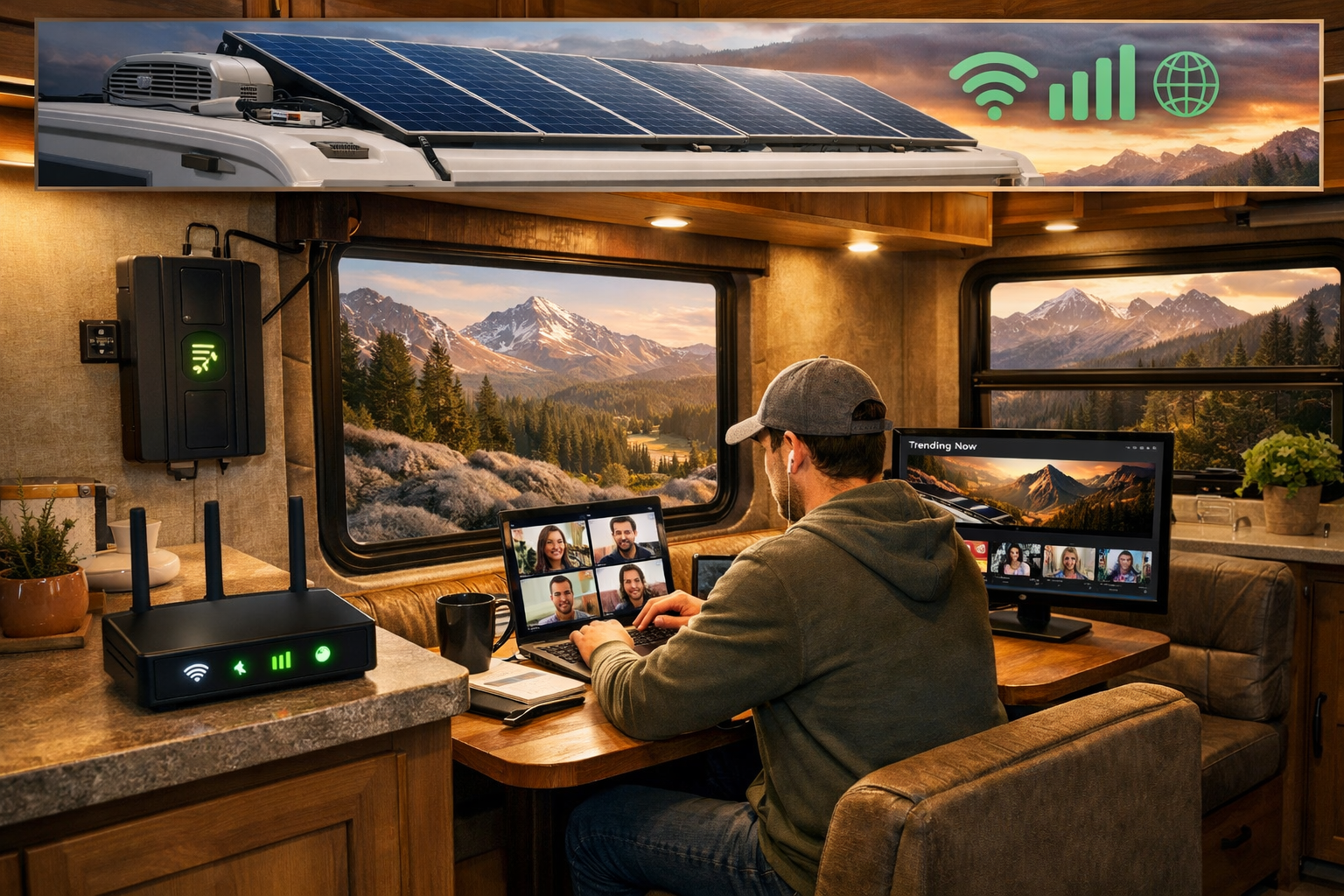
Can you have internet in an RV everywhere you travel? Mostly yes, but coverage varies dramatically by region.
Best Connected Regions
Urban corridors and interstates: Excellent coverage from all major carriers with 5G availability in most cities.
Popular RV destinations: Places like Arizona, Florida, and California generally offer reliable connectivity due to high population density and tourism infrastructure.
National Parks with infrastructure: Yellowstone, Yosemite, and Grand Canyon have improved connectivity in developed areas, though wilderness zones remain challenging.
Challenging Connectivity Areas
Remote mountain regions: Parts of Montana, Idaho, and Wyoming have significant coverage gaps.
Desert Southwest: Vast stretches of Nevada, New Mexico, and West Texas offer limited cellular coverage.
Canadian wilderness: Coverage drops significantly outside major highways and cities.
Alaska: Extremely limited coverage outside Anchorage and major highways; satellite becomes essential.
Border Crossing Considerations
Traveling between the US, Canada, and Mexico requires planning:
- Roaming charges: Can be exorbitant without proper plans
- International plans: Most carriers offer North America plans ($10-$20/month extra)
- Local SIM cards: Often cheaper for extended stays
- Starlink: Works across borders seamlessly (where service is available)
Future-Proofing Your RV Internet Setup 🚀
Technology evolves rapidly. Here’s what’s coming and how to prepare:
Emerging Technologies
6G networks: Expected by 2030, promising speeds up to 100 times faster than 5G.
Expanded satellite constellations: Amazon’s Project Kuiper and others will compete with Starlink, likely improving service and reducing costs.
RV-specific infrastructure: Manufacturers are building internet connectivity into new RVs as standard equipment, with integrated antennas and routers.
AI-powered network switching: Smart systems that automatically switch between available connections for optimal performance.
Making Smart Investment Decisions
Buy modular equipment: Choose systems that can be upgraded component-by-component rather than requiring complete replacement.
Prioritize standards-based technology: Equipment supporting universal standards (like WiFi 6E) remains relevant longer.
Consider lease options: For expensive equipment like Starlink, monthly payment plans reduce upfront costs.
Stay informed: Join RV internet communities on Reddit, Facebook, and forums where users share real-world experiences.
Real RVer Experiences and Recommendations 🌟
Learning from those who’ve solved the internet puzzle provides invaluable insights.
Full-Timer Setups
Sarah and Mike (digital marketing professionals, 3 years full-time):
- Primary: Verizon unlimited with 5G hotspot
- Secondary: AT&T unlimited backup
- Tertiary: Starlink for remote locations
- Investment: $3,200 initial, $280/month
- “We’ve worked from Death Valley to Maine without missing a deadline.”
The Rodriguez Family (YouTube creators, 2 years full-time):
- Primary: Starlink
- Secondary: T-Mobile unlimited
- Cell booster: weBoost Drive Reach
- Investment: $2,100 initial, $200/month
- “Upload speeds matter for our 4K content—Starlink changed everything.”
Weekend Warrior Solutions
Tom (occasional RVer, 20-30 nights yearly):
- Smartphone hotspot on existing Verizon plan
- Basic WiFi extender for campgrounds
- Investment: $250 initial, $0 additional monthly
- “Perfectly adequate for checking email and streaming a movie or two.”
Budget-Conscious Approaches
Linda (retired, traveling on fixed income):
- Visible (Verizon network) unlimited: $25/month
- Library and coffee shop WiFi for large downloads
- Campground WiFi with simple extender
- Investment: $200 initial, $25/month
- “I don’t need fancy equipment—this gets me connected affordably.”
Conclusion: Yes, You Can Have Excellent Internet in Your RV
The question can you have internet in an RV has evolved from “is it possible?” to “which solution works best for your needs?” The connectivity options available in 2026 are more diverse, affordable, and capable than ever before.
Whether you’re a full-time remote worker demanding enterprise-grade reliability, a retiree wanting to video chat with grandkids, or a weekend warrior streaming movies under the stars, solutions exist to keep you connected. The key is matching your setup to your actual needs rather than over-investing in capability you won’t use or under-preparing for critical connectivity.
Your Next Steps
Assess your needs honestly: Track your current internet usage for a month—how much data do you use, what speeds do you need, and how often do you need connectivity?
Research coverage: Check carrier coverage maps for your planned travel regions. Download apps like OpenSignal or CellMapper to see real-world coverage data.
Start simple, expand as needed: Begin with a basic setup and add redundancy as you identify gaps. You can always upgrade, but starting with an expensive system you don’t need wastes money.
Connect with the community: Join RV internet forums and Facebook groups. Ask questions, learn from others’ mistakes, and get recommendations for your specific travel style.
Test before you commit: Many equipment retailers offer return periods. Test systems in real-world conditions before your big trip.
The freedom of RV life no longer means sacrificing connectivity. With the right planning and equipment, you’ll stay connected to work, family, and entertainment from virtually anywhere your adventures take you. The open road awaits—and now you can bring the internet along for the ride! 🚐✨
References
[1] Federal Communications Commission. (2026). “Broadband Deployment Report: 5G Coverage Statistics.” FCC.gov.
[2] Starlink. (2026). “Starlink for RVs Technical Specifications and Coverage Maps.” Starlink.com.
[3] Mobile Internet Resource Center. (2026). “RV Internet Connectivity Guide: Carrier Coverage Analysis.” MobileInternetResourceCenter.com.
[4] weBoost. (2026). “Drive Reach RV Cell Signal Booster Technical Specifications.” weBoost.com.
SEO Meta Title and Description
Meta Title: Can You Have Internet in an RV? Complete 2026 Guide
Meta Description: Discover how to get reliable internet in your RV with cellular, satellite, and WiFi solutions. Complete guide to staying connected on the road in 2026.